Download Floating Notes free on android
APK file Floating Notes 3.51.1How to install APK / APKS / OBB file on Android
Last checked date: January 21, 2026
Short info
In general apk file Floating Notes has rating is 9.1 from 10. This is cumulative rating, most best apps on google play store have rating 8 from 10. Total reviews in google play store 17329. Total number of five star reviews received 12274. This app has been rated like bad by 0 number of users. Estimated number of downloads range between 1,000,000+ downloads in google play store Floating Notes located in category Productivity, with tags and has been developed by 424 APPS. You can visit their website not exists or send 424appslab@gmail.com to them. Floating Notes can be installed on android devices with 4.0(Ice Cream Sandwich )+. We provide only original apk files. If any of materials on this site violates your rights, report us You could also download apk of Google and run it using android emulators such as big nox app player, bluestacks and koplayer. You could also download apk of Floating Notes and run it on android emulators like bluestacks or koplayer. Versions of Floating Notes apk available on our site: 3.51.1, 3.50, 3.48.4, 3.46.1, 3.46 and others. Last version of Floating Notes is 3.51.1 was uploaded 2026/21/01
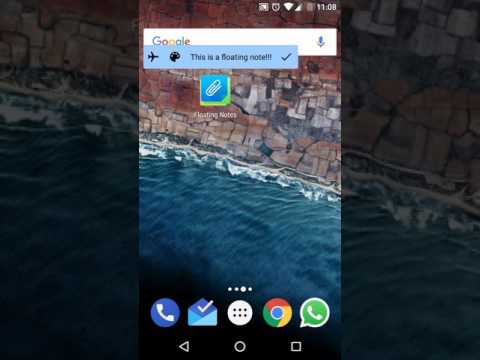
Screenshots of Floating Notes


Description of Floating Notes (from google play)
Take notes that keep visible while using other apps. Have all your notes on hand at all times but without interfering with your tasks.
· Minimize notes to the edge of the screen as only icons.
· Schedule notes to appear at certain times
· Choose among a lot of icons and colors for your notes
· Change notes transparency
· Add checklists to track your progress while using other apps
· Edit long notes also in full screen
· Turn visibility on or off for watching movies or playing games
· Synchronize your notes across all your Android devices
Version history Floating Notes
New in Floating Notes 3.51.1
· Added secure note locking with password and biometric authentication · Enabled clickable URLs within notes for easier access and navigation
· Various bug fixes plus stability and performance improvements
Advertisement
Please rate this app
More info
- LicenseFree
- File nameFloating Notes
- File Version3.51.1
- Package namecom.jsvmsoft.stickynotes
- Size23.65 MB
- UploadedJanuary 21, 2026
- Android8.0 or later

- CategoryProductivity
- Developer424 APPS
- Developer email424appslab@gmail.com
- md5 hash8d012af6b04bd97a9277d61135f49a69
- Architecture-
- Permissionsshow (18)
